
AI Website Heatmap — see every click, scroll & tap.
Clicktics turns real visitor behaviour into click, scroll and move heatmaps — then its AI reads them for you and tells you exactly what to fix. A free website heatmap tool that goes far beyond Google Analytics.
No credit card required · ~24KB script · Privacy-first (GDPR/CCPA/PIPL)
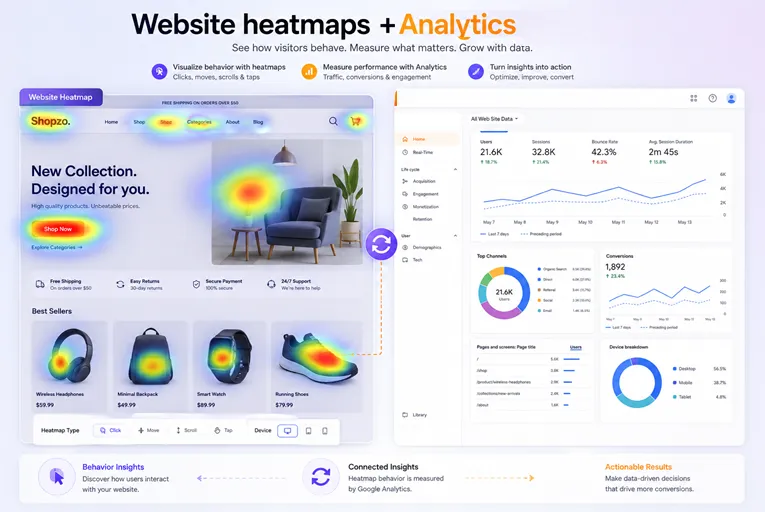
Trusted by clients worldwide.
Our clients are our top priority, and we are committed to providing them with the highest level of service.
















What is a website heatmap?
A website heatmap is a visual, colour-coded map of how visitors interact with a page — hot spots for high activity, cool spots for none. Clicktics generates three kinds automatically for every page you track.
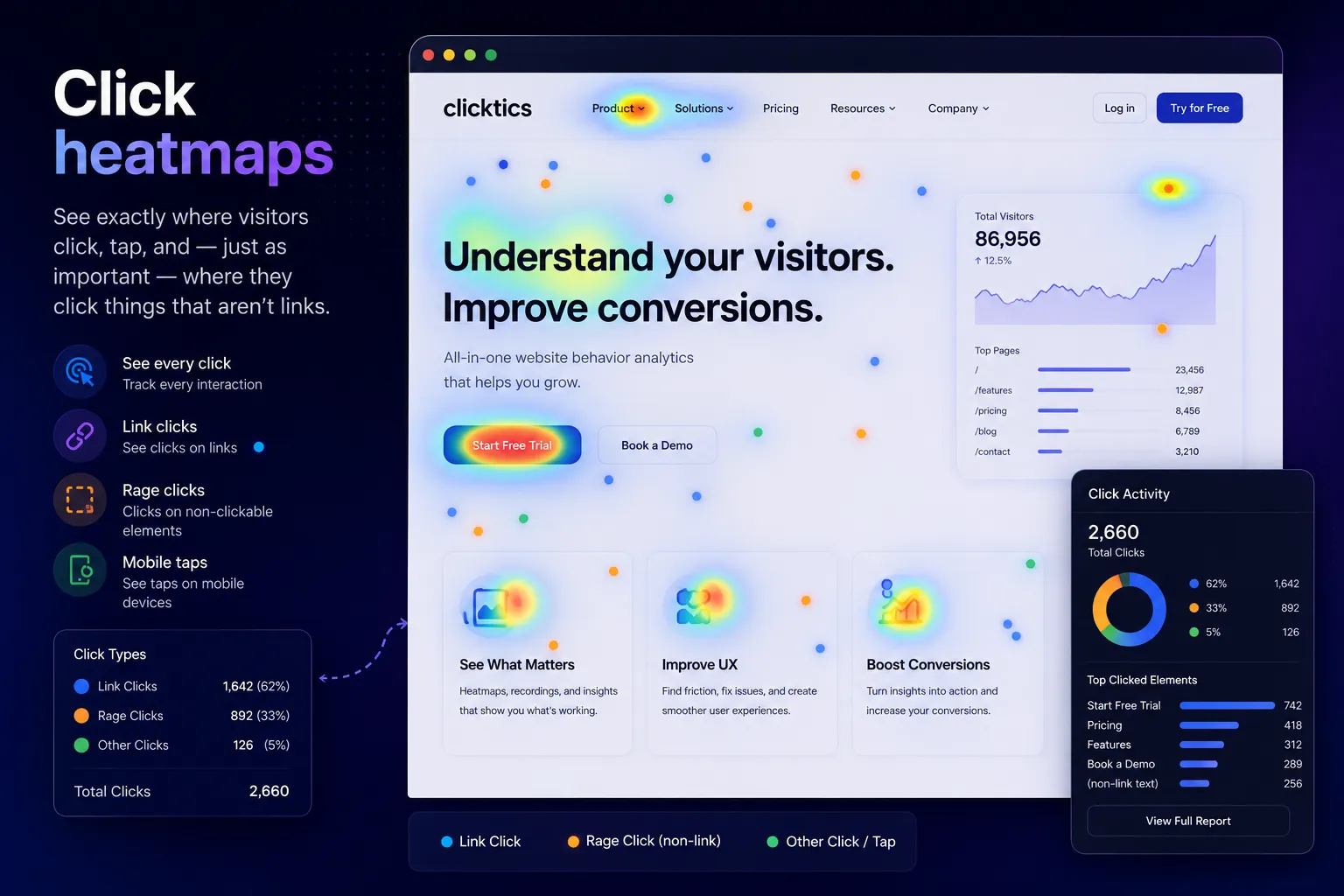
Click heatmaps
See exactly where visitors click, tap, and — just as important — where they click things that aren't links.
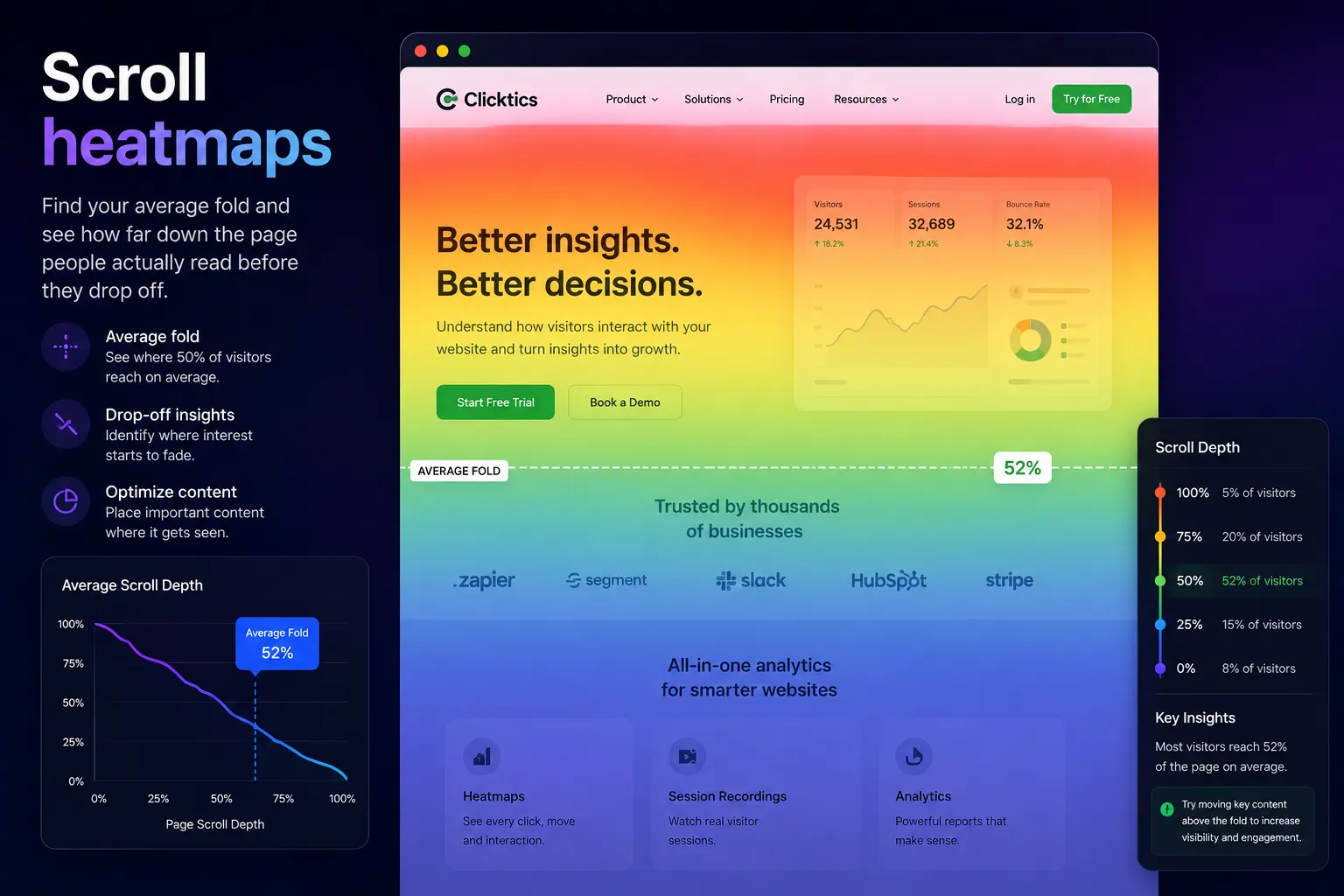
Scroll heatmaps
Find your average fold and see how far down the page people actually read before they drop off.
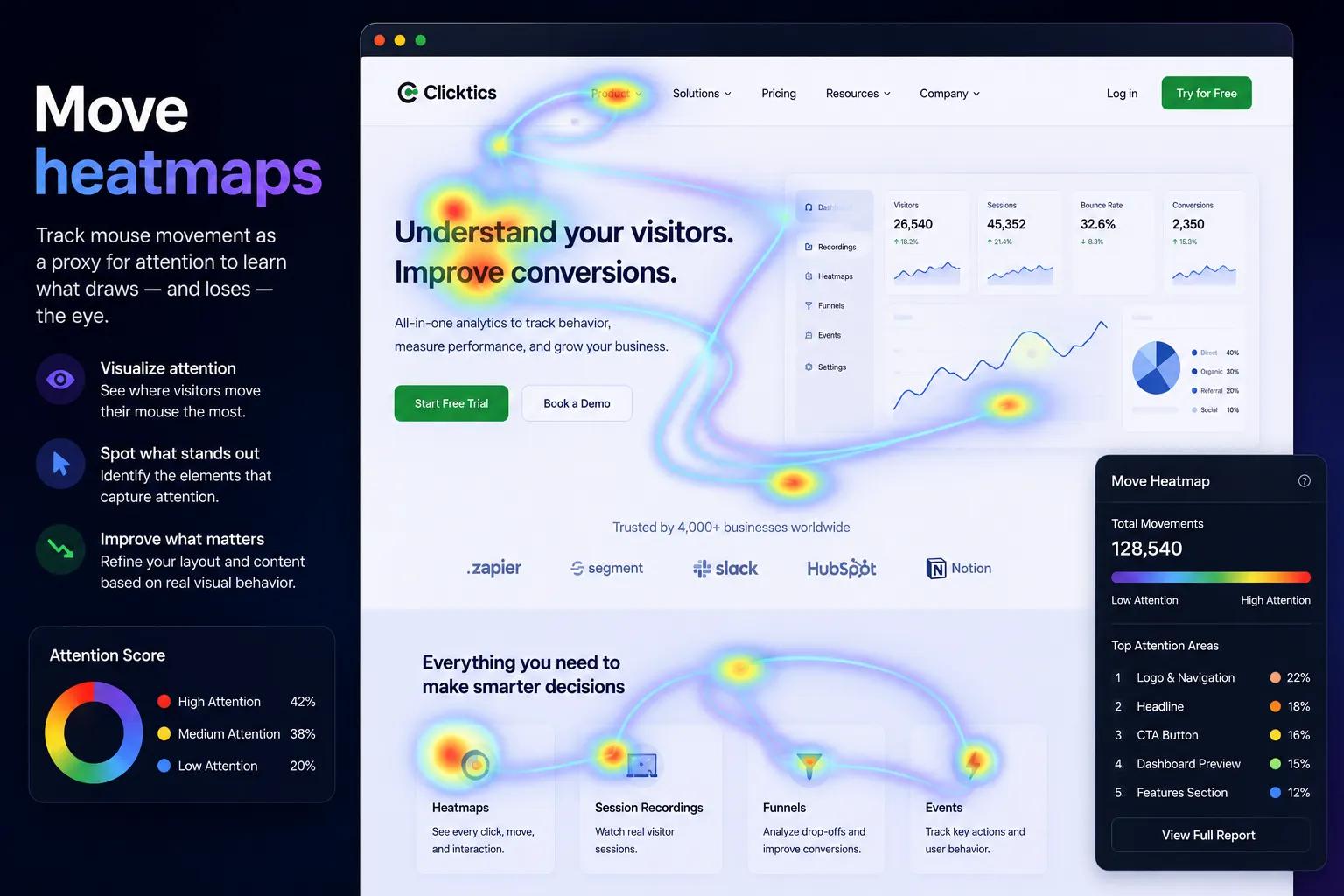
Move heatmaps
Track mouse movement as a proxy for attention to learn what draws — and loses — the eye.
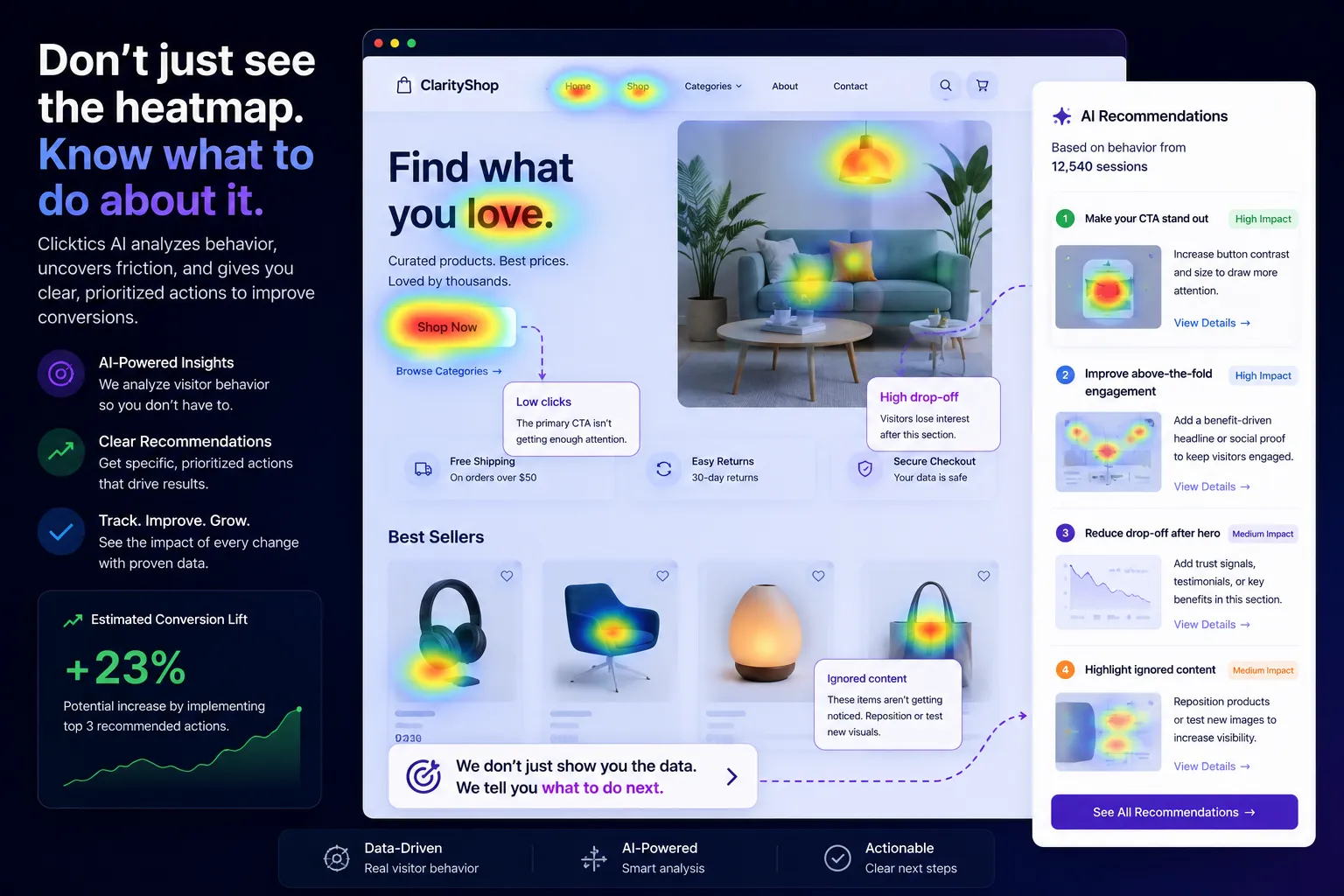
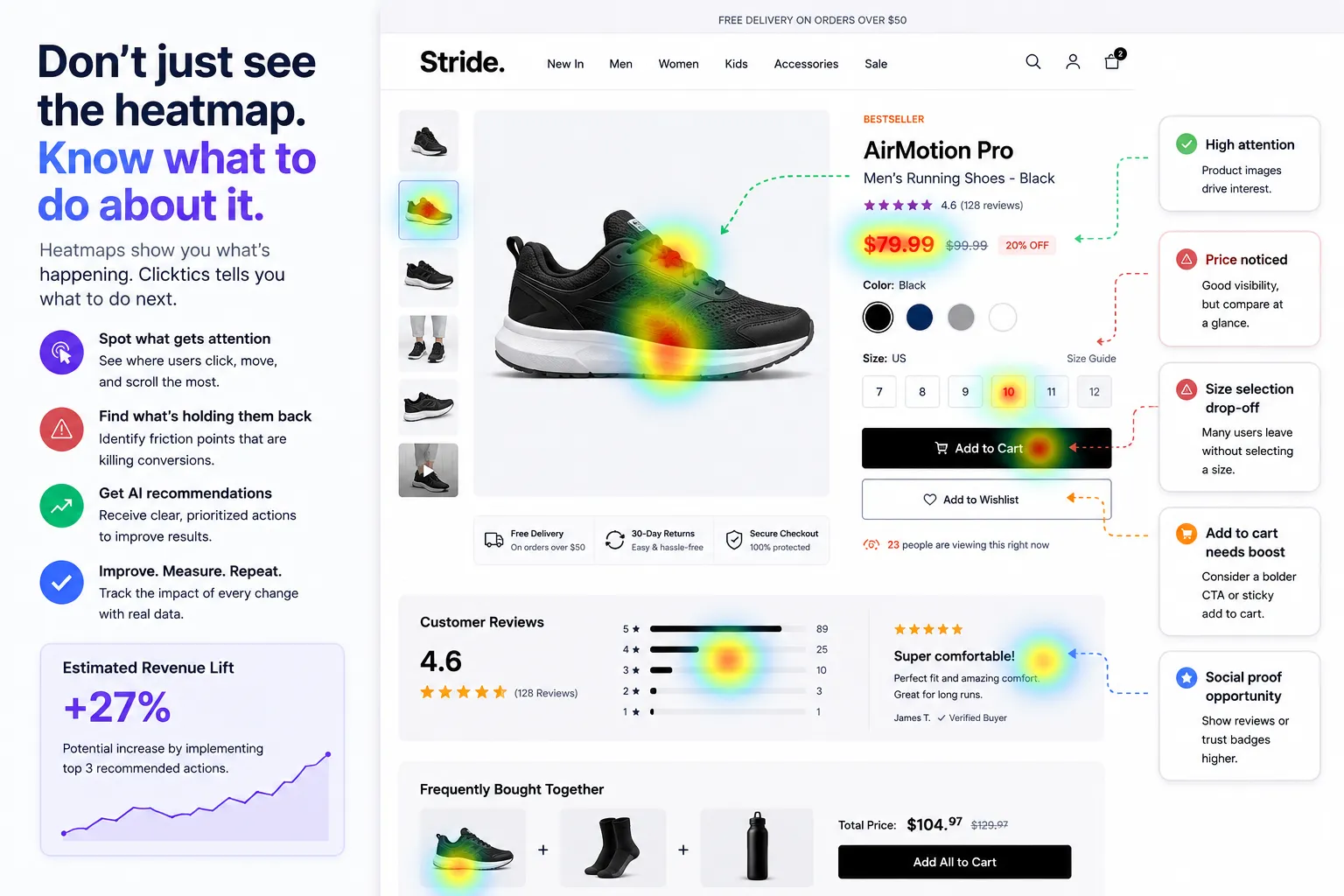
Don't just see the heatmap. Know what to do about it.
Most tools hand you a colourful map and leave you to guess. Clicktics' AI reads every heatmap and rage click, then gives you a prioritised, plain-English list of what to fix to improve conversions.
Everything a website heatmap should do
Click, tap & scroll maps
Every interaction type captured automatically on desktop, tablet, and mobile.
Rage & dead click detection
Surface the frustration signals that plain analytics never show you.
Scroll-depth insights
Know your true fold and how far visitors read on every page.
Session replay linked
Jump from any hot spot straight into the recordings behind it.
Segment & filter
Break heatmaps down by device, source, campaign, or new vs returning.
Privacy-first capture
Inputs masked by default, no third-party cookies, GDPR/CCPA/PIPL compliant.
How the heatmap tool works
Add one ~24KB script
Paste a single line into your site header. It loads async and never blocks rendering.
We build your heatmaps
Clicks, scrolls, and moves are captured and turned into live heatmaps for every page automatically.
AI tells you what to fix
Open the dashboard and get a prioritised list of improvements — no analyst required.
Turn heatmaps into decisions
Website heatmap analysis is only useful if it changes what you build next. Clicktics layers segmentation, session replay, and AI on top of every heatmap so the "why" is always one click away.
Insights ranked by likely impact on conversions, not just raw counts.
Compare how first-time and returning visitors behave on the same page.
Every hot spot links to real recordings so you see the behaviour behind it.
The "why" behind your Google Analytics numbers
Google Analytics tells you a page has a high bounce rate. It never tells you why. Website heatmaps show you the confusing button, the message below the fold, or the dead click that sent people away — so your analytics finally come with answers.
- Pair GA metrics with visual click and scroll behaviour
- Explain drop-offs, bounces, and low conversions at a glance
- No tag-manager gymnastics — one lightweight script does it all
Clicktics vs Google Analytics vs basic heatmap tools
Website heatmaps for every industry
Whatever you put on the web, Clicktics shows you how real people use it.
E-commerce
See why shoppers abandon carts, which product images get clicked, and where checkout loses people.
SaaS & startups
Watch how users move through onboarding and pricing, and cut the friction that stalls sign-ups.
Agencies
Deliver visual, client-ready heatmap reports across every website you manage from one workspace.
Publishers & media
Learn how far readers scroll, which stories hold attention, and where to place ads and CTAs.
Lead generation
Optimise landing pages and forms by seeing exactly where prospects hesitate or drop off.
Education & courses
Understand how students navigate course pages and improve enrolment and completion flows.
Heatmaps that respect your visitors
Every heatmap is captured privacy-first: all form inputs are masked by default, we set no third-party cookies and do no cross-site tracking, and the platform is fully compliant with GDPR, CCPA, and PIPL — with consent-mode and data-residency options built in.
Website heatmap questions, answered
What is an AI website heatmap?+
An AI website heatmap is a colour-coded map of where visitors click, scroll, and move on your pages, paired with AI that reads those patterns and tells you what to improve — instead of leaving you to interpret the map yourself.
Is there a free website heatmap?+
Yes. You can start with Clicktics free — apply for a trial of up to 180 days with 2 websites and 10,000 sessions per website, every feature included, no credit card required.
How is a website heatmap different from Google Analytics?+
Google Analytics tells you what happened in numbers — pageviews, bounce rate, conversions. A website heatmap shows you why, visually: the buttons people click, how far they scroll, and where they get stuck. Clicktics adds AI analysis on top so you get answers, not just charts.
What types of heatmaps does Clicktics create?+
Click and tap heatmaps, scroll-depth heatmaps, and mouse-move heatmaps for every page — automatically, on desktop, tablet, and mobile — plus rage-click and dead-click detection.
Do website heatmaps slow down my site?+
No. The entire Clicktics SDK gzips to about 24KB, loads asynchronously, and has near-zero impact on your Core Web Vitals.
Are heatmaps GDPR compliant?+
Yes. Heatmaps are captured privacy-first with form inputs masked by default, no third-party cookies, consent-mode support, and full GDPR, CCPA, and PIPL compliance.
Start your free AI website heatmap
See where every visitor clicks, scrolls, and taps — and let AI tell you what to fix. Up to 180 days free, no credit card required.